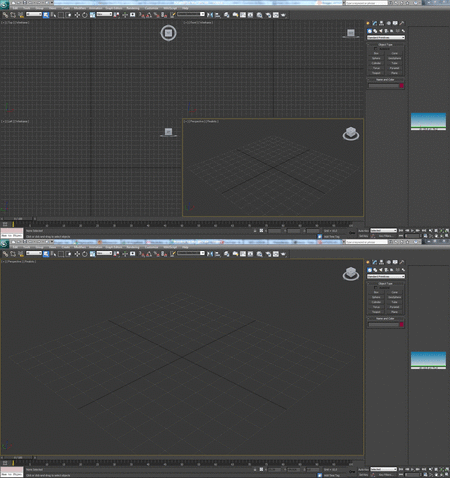
STUDIO3Dcanchange the size ofthe displayson whichwe work.If forwhatever reasondo not likethe default sizethat bringviewerstoday we are goingtoteach you how toexpand themand reduce them toour tastefor workingmore comfortably.
Oneof the mostusedwhen using3D Studiois to movethe viewpointaround the scene.
With this tool,movethe lightparallel to the planeat that timegives usperspective, unlikethe tool"Orbit" (Orbit) that willmove yourviewpointaround the scene.
You can activatethis tool by clickingwith the mouseon the "Pan"bar"Viewportnavigationcontrols"(navigation controlsviewers), but thenwe will have topress the samebutton orpress "ESC"(Escape) check box.
There isa muchfaster andconvenient to usethis tool.
Whenwesee apieceor scenefrom a differentangle in3D Studiocanuse the "Orbit"(Orbit).To do thiswe must look forthe icon in thetool with themouse andactivate and deactivate itwhen wefinished.
This methodis a bitslow compared tothe speedof doingwith the combination ofmouse andkeyboard.
When running3D Studiofor the first timewe see ahelp windowknown as"Learningmovies".This windowgives usaccess toseveral tutorialsthat will helpwith learningthe program.
This window containsa checkboxthat when checked,causes the windowto appear eachtime you startthe program.Normallydisablethis box toskipa step intheboot.
If for some reasonwe want toretrieve oraccess the window"Learningmovies"(Adultlearning)weshowyouhow you shoulddo.