Showing posts with label 3D STUDIO. Show all posts

Tuesday, March 17, 2015

Zooming in the place where the mouse pointer is in 3D STUDIO


    Sometimes when we zoom in 3D STUDIO can occur we have it configured such that zoom point the center of the viewfinder area.

    This can be very annoying, especially if youare accustomed to other programs in which the default zoom is performed in the area where we placed the mouse pointer.

     So today we are going to show you how to zoom in the place where is located the mouse pointer in 3D STUDIO.

Monday, August 6, 2012

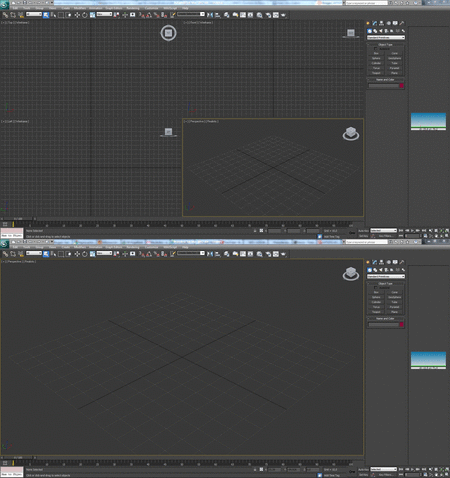
Maximize viewer 3D Studio Max


3D STUDIO sometimes we need to expand the display on which we work. Today we are going to teach you how to do this quickly and easily.

Sunday, August 5, 2012

Resize viewers 3D Studio Max


STUDIO 3D can change the size of the displays on which we work. If for whatever reason do not like the default size that bring viewers today we are going to teach you how to expand them and reduce them to our taste for working more comfortably.


Tuesday, July 31, 2012

Move the view in 3D Studio Max

  
One of the most used when using 3D Studio is to move the viewpoint around the scene.

    With this tool, move the light parallel to the plane at that time gives us perspective, unlike the tool "Orbit" (Orbit) that will move your viewpoint around the scene.

    You can activate this tool by clicking with the mouse on the "Pan" bar "Viewport navigation controls" (navigation controls viewers), but then we will have to press the same button or press "ESC" (Escape ) check box.

    There is a much faster and convenient to use this tool.

Monday, July 30, 2012

Turn the keyboard view 3D Studio Max


When we see a piece or scene from a different angle in 3D Studio can use the "Orbit" (Orbit). To do this we must look for the icon in the tool with the mouse and activate and deactivate it when we finished.

    This method is a bit slow compared to the speed of doing with the combination of mouse and keyboard.

Sunday, July 29, 2012

Display the initial learning 3D STUDIO


When running 3D Studio for the first time we see a help window known as "Learning movies". This window gives us access to several tutorials that will help with learning the program.

    This window contains a checkbox that when checked, causes the window to appear each time you start the program. Normally disable this box to skip a step in the boot.

    If for some reason we want to retrieve or access the window "Learning movies" (Adult learning) we show you how you should do.

Tuesday, May 1, 2012

Turn-on/off lock pick with keyboard 3D Studio Max


   When we are manipulating an object or part of an object in 3D Studio Max sometimes use the tool lock pick to not accidentally change the selected object.

Access the help of plugins in "Additional help" of 3D Studio Max


   When you install a plug-in, script or plug-in for 3D STUDIO MAX program, often include their own help, tutorials, etc.. In some cases they can be very useful for what I want to show where we can find them.


Import individual planes or objects of AUTOCAD to 3D Studio Max


   When we want to model a building and have the same planes, we can use to do the modeling on them.

Tuesday, April 24, 2012

Change the color of the interface of 3D Studio Max 2012


   In 3D Studio Max 2012 the colors of the default interface can be confusing to use the same color for toolbars, viewers and the separation between them.